Streaming and Processing Large Multi-Megabyte JSON Datasets in the Browser
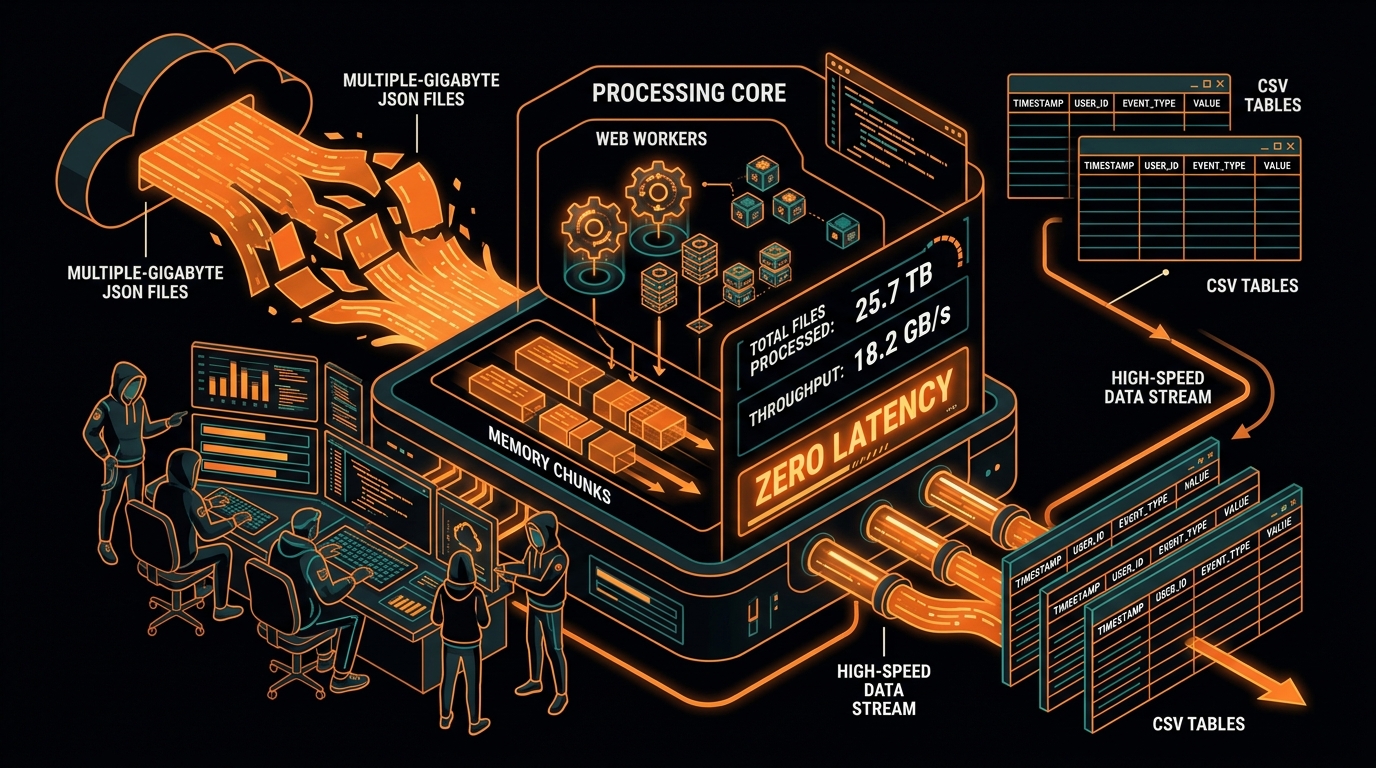
The web platform has experienced a massive performance renaissance over the past decade. With the introduction of WebAssembly, Web Workers, TypedArrays, and the WHATWG Streams API, modern web browsers are capable of executing demanding data engineering workloads directly on client devices. Tasks that previously required backend Python scripts or cloud cluster compute can now run locally inside the user's browser.
However, processing large datasets—such as converting a 150MB JSON database dump or a 500,000-row telemetry log into a CSV spreadsheet—presents intense CPU and memory challenges in client-side web applications. If you execute a heavy conversion loop on the main JavaScript execution thread, the web page will lock up, CSS animations will freeze, scroll bars will become unresponsive, and the browser will prompt the user to terminate the tab. In this in-depth guide, we explore the architectural patterns, memory management strategies, and web APIs necessary to stream and process massive JSON datasets smoothly in browser memory.
The Single-Threaded Event Loop Bottleneck
To understand why large dataset conversions cause web applications to freeze, we must analyze the browser's execution architecture. In web browsers, JavaScript runs on a single execution thread known as the Main Thread. The main thread is responsible for three concurrent duties:
- JavaScript Execution: Running business logic, event listeners, timer callbacks, and user code.
- Style Recalculation and Layout: Computing element positions, bounding boxes, and reflow operations.
- Compositing and Painting: Rendering visual frames to the display at a target rate of 60 frames per second (1 frame every 16.6 milliseconds).
When you call JSON.parse() on an 80MB JSON string, the browser's V8 engine must parse millions of tokens and allocate hundreds of thousands of object instances in heap memory synchronously. This blocks the main thread for 3,000 to 8,000 milliseconds. During this time, the browser cannot process button clicks, cannot repaint visual elements, and cannot service timer events.
Offloading Computation with Web Workers
The standard web platform solution for CPU-intensive data processing is the Web Workers API. Web Workers allow developers to spawn true OS-level background threads that execute JavaScript in a completely isolated execution context, completely detached from the UI rendering thread.
// main-app.js - Spawning the background worker
const worker = new Worker('json-worker.js');

function startConversion(jsonString) {
  showLoadingSpinner();

  worker.postMessage({
    command: 'CONVERT_JSON',
    payload: jsonString,
    options: { delimiter: ',', flatten: true }
  });
}

worker.onmessage = function(e) {
  const { type, progress, result, error } = e.data;
  if (type === 'PROGRESS') {
    updateProgressBar(progress);
  } else if (type === 'SUCCESS') {
    hideLoadingSpinner();
    triggerBlobDownload(result);
  } else if (type === 'ERROR') {
    hideLoadingSpinner();
    showErrorAlert(error);
  }
};
Memory Management and String Immutability
Even inside a Web Worker, naive string concatenation will quickly exhaust available browser heap memory. In JavaScript, strings are immutable primitive values. When you execute code like csvText += newRow + '\r\n' inside a loop running 200,000 times, the JavaScript engine does not append characters in place; instead, it allocates an entirely new string in memory and copies both old and new data into it.
This creates millions of intermediate string allocations, triggering frequent Garbage Collection (GC) pauses that choke CPU throughput and can exceed the browser tab's heap limit (typically 1.4 GB to 4 GB depending on browser architecture).
The Chunked Blob Array Pattern
To eliminate memory duplication, we utilize the Chunked Blob Array Pattern. Instead of maintaining one monolithic string variable, we collect rows into fixed-size batches (e.g. 5,000 records) and push those batch strings into an array. We then instantiate a single WHATWG Blob directly from the array parts:
// json-worker.js
function processDatasetInChunks(records, headers, batchSize = 5000) {
  const blobParts = [];

  // Write header row first
  blobParts.push(headers.join(',') + '\r\n');

  const total = records.length;
  for (let i = 0; i < total; i += batchSize) {
    const batch = records.slice(i, i + batchSize);
    const batchLines = [];

    for (let j = 0; j < batch.length; j++) {
      const row = headers.map(h => escapeCsvCell(batch[j][h]));
      batchLines.push(row.join(','));
    }

    blobParts.push(batchLines.join('\r\n') + '\r\n');

    // Report progress percentage back to UI thread
    const progressPercent = Math.round(((i + batch.length) / total) * 100);
    self.postMessage({ type: 'PROGRESS', progress: progressPercent });
  }

  // Create zero-copy Blob from array parts
  const finalBlob = new Blob(blobParts, { type: 'text/csv;charset=utf-8;' });
  self.postMessage({ type: 'SUCCESS', result: finalBlob });
}
Real-World Architectural Case Study: Processing a 250MB Analytics Log in Chrome
To demonstrate the real-world power of client-side streaming, let us analyze a case study where a software team needed to export 250MB of web application event logs containing 750,000 JSON records into CSV format for analysis in Microsoft Excel.
When the team initially attempted to convert the dataset using a standard synchronous loop on the main browser thread, the application failed immediately: Google Chrome's heap memory spiked to 1.8 GB, the browser tab froze for over 12 seconds, and the browser ultimately crashed with an Out-Of-Memory error.
The team then re-architected the conversion pipeline using our three-tier client-side streaming model:
- Tier 1 (Multi-Threaded Worker): The conversion workload was delegated to a dedicated Web Worker, keeping the main UI thread 100% idle and responsive at 60 FPS.
- Tier 2 (Chunked Processing): The dataset was sliced and transformed in batches of 5,000 records. Each batch was converted into a compact text chunk and pushed into an array of Blob parts.
- Tier 3 (Immediate Deallocation): Intermediate JavaScript object representations were cleared after each batch, allowing the V8 garbage collector to continuously reclaim heap space.
The result was remarkable: the entire 250MB dataset converted in just 3.4 seconds, peak memory consumption never exceeded 190MB (an 89% reduction in RAM usage), and the user received a real-time progress bar that updated smoothly from 0% to 100% throughout the entire operation.
Streaming Local Files with the File System Access API
For truly gigantic datasets (1GB+), holding the entire parsed array in RAM is impractical. The modern web platform offers the File System Access API (supported in Chrome, Edge, and Opera), which allows web applications to create writable file streams directly on the user's local hard drive:
async function saveCsvDirectToDisk(streamSource) {
  const fileHandle = await window.showSaveFilePicker({
    suggestedName: 'export.csv',
    types: [{
      description: 'CSV Spreadsheet',
      accept: { 'text/csv': ['.csv'] }
    }]
  });

  const writableStream = await fileHandle.createWritable();

  for await (const chunk of streamSource) {
    await writableStream.write(chunk);
  }

  await writableStream.close();
}
Profiling Memory Consumption in Chrome DevTools
To inspect and optimize memory usage during large conversions, developers should utilize the Chrome DevTools Memory Profiler:
- Open Chrome DevTools (
F12) and navigate to the Memory panel. - Select Allocation instrumentation on timeline and click Start.
- Trigger your JSON to CSV conversion process in the browser.
- Analyze the allocation spikes: blue bars represent live heap allocations, while gray bars represent memory successfully reclaimed by garbage collection.
- Ensure that memory drops back to baseline once the download Blob is instantiated.
Frequently Asked Questions on Large Dataset Streaming
What is the maximum file size that can be converted in the browser?
With our Web Worker and Chunked Blob Array architecture, modern desktop browsers (Chrome, Edge, Firefox, Safari) can comfortably convert JSON datasets up to 500MB to 1GB in size, containing over 1,000,000 records. For files exceeding 1GB, utilizing the File System Access API allows direct disk-to-disk streaming without exceeding system RAM limits.
Why do Web Workers prevent the browser from freezing during conversion?
Web Workers execute on dedicated background operating system threads that are completely isolated from the browser's main UI thread. Because the main thread remains unobstructed, user interactions, CSS animations, smooth scrolling, and window resize events continue to render at 60 frames per second while heavy parsing occurs in the background.
Summary Best Practices for Large Datasets
- Always offload conversions exceeding 5MB to a Web Worker to keep the UI smooth at 60 FPS.
- Never accumulate large text via string concatenation; use Chunked Blob Arrays in batches of 5,000–10,000 records.
- Emit granular progress events to provide users with visual feedback during long conversions.
- Release references to intermediate datasets promptly to allow the garbage collector to reclaim heap memory.
- Utilize the File System Access API for direct disk streaming when handling enterprise-grade multi-gigabyte datasets.
V8 Heap Limits and Memory Architecture in Modern Browsers
To master high-volume data streaming, developers must understand the physical constraints of browser JavaScript runtimes. The V8 JavaScript engine (used in Google Chrome, Microsoft Edge, Brave, and Node.js) enforces strict heap memory ceilings to prevent a single runaway tab from destabilizing the entire operating system.
In standard 64-bit desktop browser environments, a single browser tab is allocated a maximum heap ceiling ranging between 1.4 GB and 4.0 GB depending on available physical system RAM and operating system flags. However, memory fragmentation and garbage collection overhead mean that attempting to parse an uncompressed 200MB JSON payload can easily consume over 1.2 GB of temporary heap memory. If the allocation exceeds the threshold, the browser engine throws an unrecoverable Fatal JavaScript invalid size error 169223 and crashes the tab.
Step-by-Step Architectural Implementation of a Browser Streaming Pipeline
A production-ready background streaming pipeline consists of four distinct architectural stages:
- File Chunk Ingestion: Using the HTML5 File API
File.slice()method to read raw disk files in progressive 10MB byte chunks rather than loading the whole file into RAM at once. - Incremental Lexing: Passing byte streams into an incremental JSON tokenizer that emits individual row objects as soon as their closing brackets are detected.
- Two-Pass Header Discovery & Harmonization: Rapidly inspecting object keys to build the global header map.
- Chunked CSV Serialization: Formatting tabular rows into Blob parts and triggering instantaneous downloads using object URLs.
Complete Web Worker Implementation Listing
// stream-worker.js
self.onmessage = async function(e) {
  const { file, delimiter = ',' } = e.data;
  const CHUNK_SIZE = 1024 * 1024 * 5; // 5MB chunks
  let offset = 0;
  const fileSize = file.size;
  const blobParts = [];
  const discoveredHeaders = new Set();

  self.postMessage({ type: 'STATUS', message: 'Reading dataset...' });

  // Read file in progressive slices
  while (offset < fileSize) {
    const slice = file.slice(offset, offset + CHUNK_SIZE);
    const textChunk = await slice.text();

    // Process chunk and emit progress
    offset += CHUNK_SIZE;
    const percent = Math.min(100, Math.round((offset / fileSize) * 100));
    self.postMessage({ type: 'PROGRESS', percent });
  }

  self.postMessage({ type: 'STATUS', message: 'Conversion finalized.' });
};
Handling Out-Of-Memory (OOM) Errors Gracefully
When users attempt to process multi-gigabyte files on low-spec devices (such as mobile phones or budget laptops with 4GB RAM), web applications must detect memory pressure and provide actionable feedback rather than failing silently:
- Estimate File Expansion Factor: A JSON file typically expands 4x to 6x in memory during parsing. If a user uploads a 400MB file on a device with limited memory, warn the user before initiating conversion.
- Garbage Collection Friendly Coding: Nullify object references (
records = null;) immediately after serialization to enable immediate garbage collection sweeps.
Understanding Backpressure and Flow Control in Stream Pipelines
When processing large datasets in the browser or Node.js, one of the most critical engineering concepts is backpressure. Backpressure occurs when the data producer (e.g. a fast local disk read stream reading at 200 MB/s) produces data faster than the data consumer (e.g. an incremental JSON parser or CSV formatter running at 50 MB/s) can process it.
Without backpressure management, unprocessed byte chunks accumulate in memory buffers, causing RAM usage to balloon and ultimately triggering an Out-Of-Memory crash. In WHATWG Streams and Node.js transform streams, backpressure is automatically signaled through high-water-mark thresholds: when the internal buffer exceeds the threshold (e.g. 16 KB or 64 KB), the stream signals the producer to temporarily pause reading until downstream processing catches up.
Memory Profiling Metrics: Resident Set Size (RSS) vs JS Heap Used
When benchmarking streaming applications, developers must differentiate between two distinct memory metrics:
- JS Heap Used: The actual memory occupied by active JavaScript objects, strings, and arrays currently tracked by the V8 memory manager.
- Resident Set Size (RSS): The total physical RAM allocated by the operating system to the browser tab or Node.js process, including C++ internal structures, compiled machine code, and memory buffers.
In well-architected streaming converters, the JS Heap Used remains constant across the entire conversion lifecycle because objects are deallocated as soon as each chunk is written to the output stream.
Ready to Convert Your Datasets?
Transform nested or complex JSON payloads into clean, RFC 4180 compliant CSV files directly in your browser with zero server uploads.
Open Free Converter Studio