A Complete Developer Guide to Flattening Nested JSON for Tabular Export
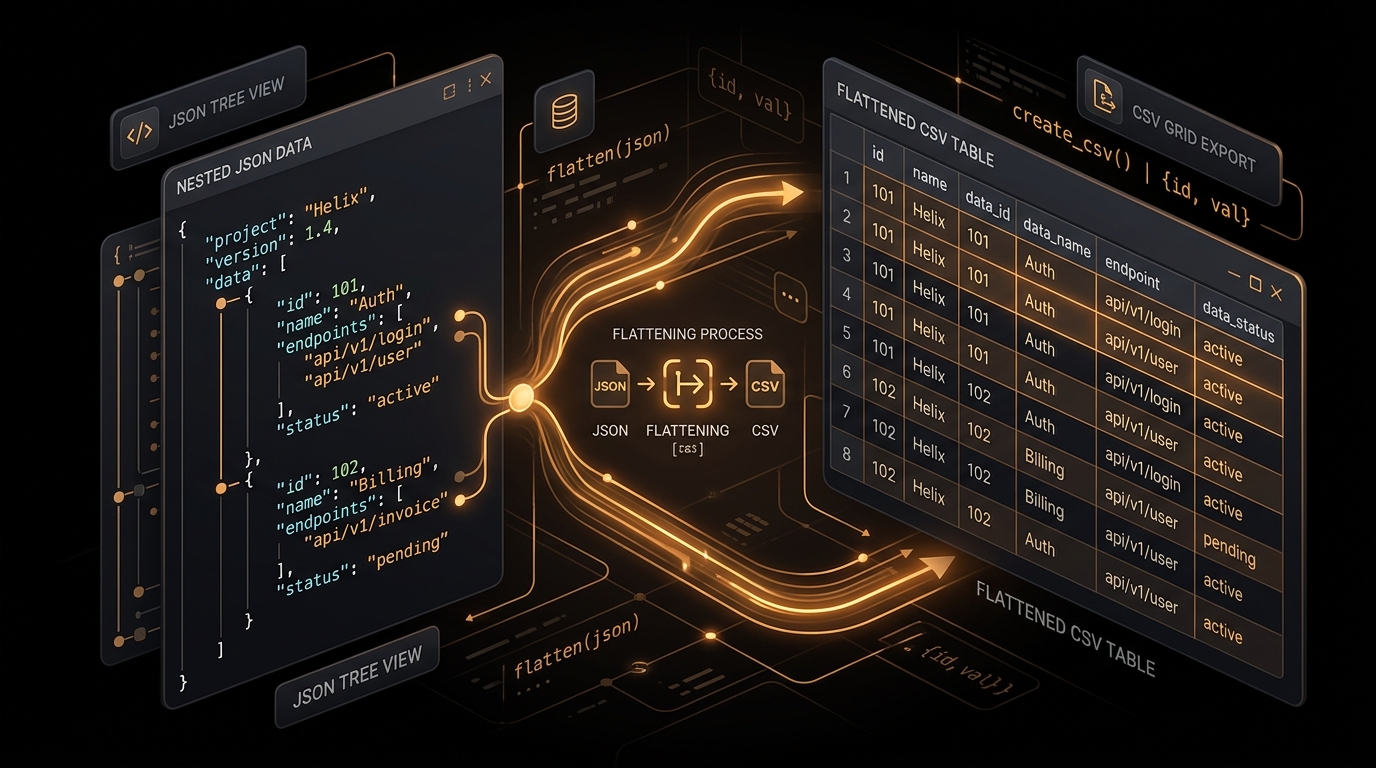
In modern software engineering, web development, and cloud computing, JavaScript Object Notation (JSON) has become the undisputed lingua franca of data interchange. Web APIs, microservices architectures, NoSQL document databases like MongoDB and Couchbase, and serverless webhook feeds all transmit data using deeply nested hierarchical trees. However, when software engineers, data analysts, and business intelligence specialists need to analyze this data in spreadsheet tools like Microsoft Excel, Google Sheets, or Apple Numbers, or when ingesting records into relational SQL databases like PostgreSQL, MySQL, and Snowflake, data must be reshaped into two-dimensional tabular matrices comprising discrete rows and columns.
Transforming a simple, flat JSON array containing uniform key-value pairs is computationally trivial. However, real-world production JSON payloads are almost never flat. They feature multi-layered object nesting, optional metadata fields, polymorphic schemas, arrays of child objects, mixed scalar primitives, and complex ancestral relationships. In this comprehensive technical guide, we explore the fundamental computer science algorithms, mathematical principles, and practical data modeling patterns required to reliably flatten complex JSON payloads into clean, normalized CSV spreadsheets without losing vital information.
The Structural Mismatch: Hierarchical Trees vs Two-Dimensional Matrices
To understand why JSON flattening requires rigorous engineering, we must examine the formal mathematical definitions of both data formats. A JSON document is fundamentally a directed acyclic tree graph $G = (V, E)$. The root vertex branches outward into intermediate object vertices (dictionaries) and ordered sequence vertices (arrays), terminating at primitive leaf nodes containing strings, numbers, booleans, or null values. In a JSON tree graph, branch depths can vary arbitrarily between records, and sibling branches can possess completely different structural schemas.
Conversely, a Comma-Separated Values (CSV) document represents a strict two-dimensional mathematical matrix $M in mathbb{R}^{R imes C}$, where $R$ denotes the total number of records (rows) and $C$ represents the fixed set of attribute column headers declared in the initial header record. When flattening a tree graph into a two-dimensional matrix, data engineers must solve three primary structural challenges:
- Ancestral Path Encoding: How to represent multi-level branch hierarchies inside single-dimensional column identifiers without creating key collisions.
- Array Dimensionality and Cardinality: How to handle one-to-many relationships (lists of sub-items) embedded within parent records without distorting the table geometry.
- Schema Heterogeneity and Drift: How to align records that feature optional attributes, missing keys, or dynamically evolving data types into a consistent set of columns.
The Recursive Object Traversal Algorithm
The standard industry algorithm for converting nested JSON dictionaries into flat key-value pairs is recursive depth-first traversal with path concatenation. As the recursive function traverses each branch of the object graph, it constructs a compound string key representing the complete ancestral lineage from the root down to each primitive leaf node.
function recursiveFlatten(node, prefix = '', delimiter = '.') {
  const flattened = {};

  for (const key of Object.keys(node)) {
    const value = node[key];
    const compoundPath = prefix ? `${prefix}${delimiter}${key}` : key;

    if (value !== null && typeof value === 'object' && !Array.isArray(value)) {
      // Branch node: recursively traverse child dictionary
      const childResult = recursiveFlatten(value, compoundPath, delimiter);
      Object.assign(flattened, childResult);
    } else if (Array.isArray(value)) {
      // Sequence node: process array elements using designated strategy
      flattened[compoundPath] = processArrayNode(value, compoundPath, delimiter);
    } else {
      // Leaf primitive node: assign raw scalar value
      flattened[compoundPath] = value;
    }
  }

  return flattened;
}
Let us trace this algorithm with a practical example. Consider a customer purchase order emitted by an e-commerce checkout microservice:
{
  "order_id": "ORD-98214",
  "created_at": 1756472800,
  "buyer": {
    "full_name": "Sarah Connor",
    "contact": {
      "email": "sarah.c@example.com",
      "mobile": "+1-555-0199"
    },
    "delivery": {
      "street": "742 Evergreen Terrace",
      "city": "Springfield",
      "state": "IL",
      "postal_code": "62704"
    }
  }
}
When passed through our recursive traversal algorithm using a dot (.) delimiter, the hierarchical tree collapses into the following normalized dictionary:
{
  "order_id": "ORD-98214",
  "created_at": 1756472800,
  "buyer.full_name": "Sarah Connor",
  "buyer.contact.email": "sarah.c@example.com",
  "buyer.contact.mobile": "+1-555-0199",
  "buyer.delivery.street": "742 Evergreen Terrace",
  "buyer.delivery.city": "Springfield",
  "buyer.delivery.state": "IL",
  "buyer.delivery.postal_code": "62704"
}
Compound Header Delimiters: Selecting the Right Naming Convention
Choosing the appropriate delimiter character when concatenating ancestral key paths is critical for downstream database and spreadsheet compatibility. Different data platforms treat punctuation marks differently:
| Delimiter Strategy | Example Generated Header | Target Systems & Ingestion Engines | Engineering Tradeoffs |
|---|---|---|---|
Dot Notation (.) |
buyer.delivery.city |
Microsoft Excel, Google Sheets, MongoDB, JavaScript unflattening utilities | Maintains intuitive object-oriented hierarchy. Requires quote escaping in SQL SELECT queries. |
Underscore (_) |
buyer_delivery_city |
PostgreSQL, MySQL, Snowflake, Google BigQuery, AWS Redshift | Fully compliant SQL column identifier. Eliminates quoting requirements in DDL and analytical queries. |
Forward Slash (/) |
buyer/delivery/city |
RFC 6901 JSONPointer compliance, Unix filesystem pipelines | Conforms to IETF JSONPointer standards for precise node path addressing. |
Double Underscore (__) |
buyer__delivery__city |
Django ORM, Python data models, GraphQL mapping layers | Explicitly separates word boundaries in original keys from hierarchy depth levels. |
Four Proven Strategies for Handling Arrays
While flattening dictionary objects is mathematically straightforward, arrays represent ordered collections of zero, one, or hundreds of items. Converting arrays into tabular cells requires specific architectural decisions based on your analytical requirements.
Strategy 1: Secondary Delimiter Joining (For Primitive Scalar Arrays)
When an array contains primitive values like strings or numbers (e.g. "skills": ["javascript", "python", "sql"]), joining the elements into a single cell with a secondary delimiter (such as a semicolon or pipe) preserves all items inside one spreadsheet row:
// Resulting CSV Row Cell:
"javascript; python; sql"
This allows human analysts viewing the data in Microsoft Excel or Google Sheets to see the complete list within a single cell without disrupting table geometry.
Strategy 2: Cartesian Row Explosion (Relational Normalization)
When an array contains complex child objects (e.g., an order containing multiple purchased line items), row explosion unrolls the child array so that each item becomes an independent row in the CSV table, repeating parent attributes (such as order_id, buyer.full_name) across all child rows. This mirrors a SQL LEFT JOIN between a parent table and a child line-items table.
Strategy 3: JSON Stringification
For complex sub-arrays that vary wildly in structure between records, stringifying the array directly back into valid JSON text preserves all nested information within a single cell. Cloud analytical warehouses like Snowflake (with PARSE_JSON()), BigQuery (with JSON_EXTRACT()), and PostgreSQL (with JSONB) can natively query stringified JSON columns after bulk CSV loading.
Strategy 4: Indexed Column Expansion (Pivoting)
If arrays are fixed in maximum length, each element can be expanded into dedicated numbered columns (e.g. phone_0, phone_1, phone_2).
Two-Pass Global Schema Harmonization
In real-world data pipelines, documents in a collection often possess optional fields or schema drift. For example, Record A may include a discount_code attribute, while Record B omits it entirely and introduces a loyalty_points field. If you only inspect the first record to generate your CSV header row, fields that only appear in later records will be completely lost!
To solve this, our converter engine implements a Two-Pass Global Schema Scanner:
- Pass 1 (Discovery): Iterate over all objects in the input dataset, recursively flatten each object, and collect all discovered compound keys into a global ordered
Set. - Pass 2 (Serialization): Iterate over each flattened object again, outputting the value for each header in the global set. If an object does not have a particular key, emit an empty string
""to guarantee every row has the exact same column count.
function harmonizeAndExport(records, delimiter = '.') {
  const flatRecords = [];
  const globalHeaderSet = new Set();

  // Pass 1: Discover all unique keys across all records
  for (let i = 0; i < records.length; i++) {
    const flat = recursiveFlatten(records[i], '', delimiter);
    flatRecords.push(flat);
    for (const key of Object.keys(flat)) {
      globalHeaderSet.add(key);
    }
  }

  const headers = Array.from(globalHeaderSet);

  // Pass 2: Produce uniform tabular matrix with padding
  const matrix = flatRecords.map(record => {
    return headers.map(header => {
      const val = record[header];
      return val !== undefined && val !== null ? val : '';
    });
  });

  return { headers, rows: matrix };
}
Step-by-Step Practical Tutorial: Flattening a GitHub CI/CD Webhook Payload
To see how recursive flattening transforms complex developer operations data, let us examine a real-world GitHub Actions deployment webhook. CI/CD telemetry payloads are notoriously deeply nested, bundling repository metadata, commit author records, branch references, and runner execution statuses inside one JSON document.
Consider the following raw GitHub deployment event received by a DevOps monitoring pipeline:
{
  "event_id": "EVT-gh-882190",
  "timestamp": "2026-08-29T16:45:00Z",
  "repository": {
    "id": 984120,
    "name": "core-payment-gateway",
    "owner": {
      "login": "octocat",
      "type": "Organization"
    }
  },
  "deployment": {
    "environment": "production",
    "sha": "7d9b1a03f4e6",
    "ref": "refs/heads/main",
    "creator": {
      "login": "monalisa",
      "id": 1982
    }
  },
  "runner": {
    "os": "ubuntu-24.04",
    "architecture": "x64",
    "execution_time_ms": 41200
  }
}
When preparing this DevOps telemetry for ingestion into an analytics warehouse or spreadsheet pivot table, applying recursive flattening with an underscore (_) delimiter yields the following clean, flat record:
{
  "event_id": "EVT-gh-882190",
  "timestamp": "2026-08-29T16:45:00Z",
  "repository_id": 984120,
  "repository_name": "core-payment-gateway",
  "repository_owner_login": "octocat",
  "repository_owner_type": "Organization",
  "deployment_environment": "production",
  "deployment_sha": "7d9b1a03f4e6",
  "deployment_ref": "refs/heads/main",
  "deployment_creator_login": "monalisa",
  "deployment_creator_id": 1982,
  "runner_os": "ubuntu-24.04",
  "runner_architecture": "x64",
  "runner_execution_time_ms": 41200
}
In the resulting CSV export, each nested attribute maps directly to a discrete, queryable column header. Engineering leads can now open the exported CSV in Excel or Tableau to calculate deployment velocity, compute runner costs, and identify slow CI/CD jobs without writing custom JSON extraction queries.
Reconstructing Hierarchical JSON from Flattened CSV (Unflattening)
One of the greatest advantages of structured dot-notation flattening is mathematical reversibility. Because compound keys preserve the exact ancestral path, a flattened row can be converted back into a deeply nested JSON object:
function unflattenRow(flatRecord, delimiter = '.') {
  const root = {};

  for (const [compoundKey, value] of Object.entries(flatRecord)) {
    const segments = compoundKey.split(delimiter);
    let cursor = root;

    for (let i = 0; i < segments.length; i++) {
      const segment = segments[i];
      if (i === segments.length - 1) {
        cursor[segment] = value;
      } else {
        if (!cursor[segment] || typeof cursor[segment] !== 'object') {
          cursor[segment] = {};
        }
        cursor = cursor[segment];
      }
    }
  }

  return root;
}
Frequently Asked Questions on JSON Flattening
What happens if a JSON key already contains a dot in its original property name?
If your source JSON payload contains keys with literal dots (such as {"service.name": "auth-service"}), using a dot delimiter creates path parsing ambiguity. In such cases, configure your flattener to use an underscore (_), slash (/), or double underscore (__) delimiter.
How does flattening handle circular object references?
Unchecked recursion on circular objects triggers a call stack overflow error. Production flatteners use a WeakSet to track visited object references during traversal, emitting a safe placeholder string (such as [Circular]) when a cycle is detected.
Can deeply nested JSON with 50+ depth levels cause browser stack overflows?
Standard JavaScript engines support call stacks of approximately 10,000 recursive frames. However, to guarantee extreme memory efficiency, our converter engine implements an iterative stack loop that can traverse trees of arbitrary depth without call stack constraints.
Summary & Practical Engineering Checklist
- Use dot notation for human spreadsheet analysis and unflattening; use underscore notation for SQL database loading.
- Always run a two-pass global schema scan to guarantee that optional attributes and schema drift do not cause dropped columns.
- Join primitive scalar arrays with semicolons or pipes; stringify complex nested object arrays for cloud warehouse ingestion.
- Enforce cycle detection and iterative stack traversal to safely handle massive, multi-level datasets.
Ready to Convert Your Datasets?
Transform nested or complex JSON payloads into clean, RFC 4180 compliant CSV files directly in your browser with zero server uploads.
Open Free Converter Studio