The Ultimate Developer's Guide to RFC 4180 CSV Standards, Escaping, and Formatting
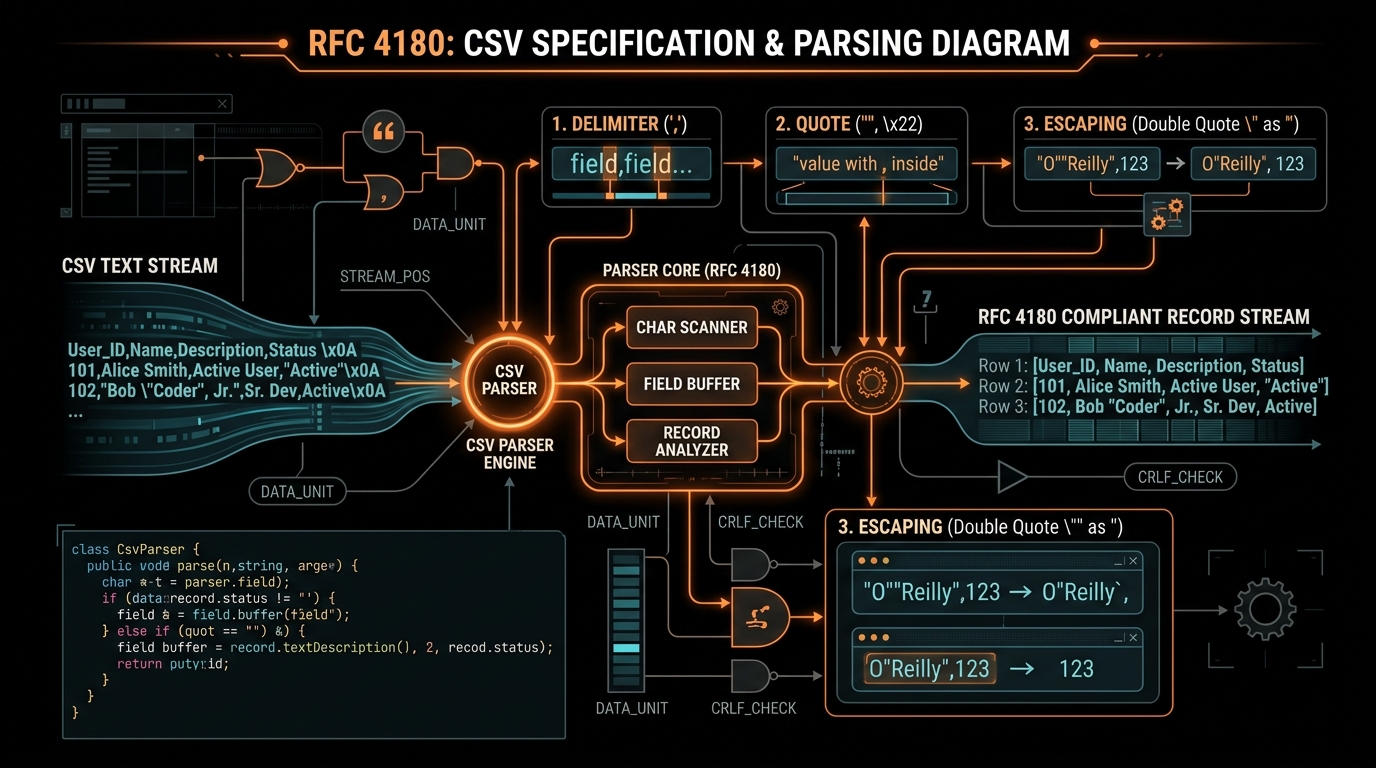
Comma-Separated Values (CSV) is one of the most ubiquitous and durable data exchange formats in the history of computing. Long before XML, JSON, Protobuf, or Parquet were conceived, CSV was powering financial transactions, database exports, customer relationship databases, and spreadsheet calculations across mainframe and personal computers alike.
Because the fundamental concept of CSV seems trivial—values separated by commas—thousands of developers make the mistake of creating CSV generators by simply joining strings with commas in code: array.join(","). This naive approach works only until a user inputs an address containing a comma, a product title containing quotation marks, or a comment containing a newline. The moment these special characters appear, naive CSV files break catastrophically: columns shift into the wrong fields, cells split across rows, and database loaders crash. In this guide, we explore the official RFC 4180 standard, the exact rules of CSV escaping, and how to build robust, production-grade CSV parsers and generators.
The Origins and Purpose of RFC 4180
For decades after its inception in the 1970s, CSV had no formal international specification. Different software vendors, database management systems, and spreadsheet applications created their own proprietary dialects. Some programs used backslashes (\) to escape quotes, others used double quotes (""), some used Unix LF (\n) line breaks, while others expected Windows CRLF (\r\n).
In October 2005, the Internet Engineering Task Force (IETF) published RFC 4180 ("Common Format and MIME Type for Comma-Separated Values (CSV) Files") authored by Y. Shafranovich. RFC 4180 formalized a clear, unambiguous standard that defines the MIME type text/csv and establishes seven universal syntactic rules for formatting and escaping tabular data.
The 7 Formal Rules of RFC 4180 Explained in Detail
Rule 1: Record Separation and Line Endings
Each record in a CSV file must be located on a separate line, delimited by a line break. RFC 4180 explicitly mandates the standard Internet line break sequence consisting of Carriage Return + Line Feed (CRLF, \r\n):
field1,field2,field3\r\n
field4,field5,field6\r\n
While many modern Unix-based parsers tolerate single LF (\n) characters, generating strict CRLF line endings guarantees 100% compatibility across legacy systems, Microsoft Windows applications, and strict financial import engines.
Rule 2: Optional Header Line
The first line of the file may optionally contain a header record containing column names corresponding to the fields in the body. The header line must follow the exact same delimiter, quoting, and escaping rules as normal data records. RFC 4180 recommends providing headers for clarity, and HTTP response headers can explicitly declare header presence using header=present or header=absent in the Content-Type header.
Rule 3: Uniform Field Counts Per Row
Every single record in the CSV file must contain the exact same number of fields as the header record. If a field has no value for a specific row, an empty field must still be present between the delimiters (e.g. value1,,value3). A row with missing delimiters violates the two-dimensional matrix contract and will cause column-shift errors in downstream data warehouses.
Rule 4: Optional Enclosing Quotes for Plain Fields
Each field in a CSV file may or may not be enclosed in ASCII double quotation marks ("..."). If a field contains only alphanumeric text with no delimiters, quotes, or line breaks, enclosing quotes are optional:
"John Doe",35,"Engineer"
Jane Smith,28,Designer
Both rows above are syntactically valid and represent identical data structures.
Rule 5: Mandatory Enclosing Quotes for Special Characters
A field MUST be enclosed in double quotes if it contains any of the following characters:
- The field delimiter (e.g. comma
,, semicolon;, or tab\t) - A double quotation mark character (
") - A line break (CRLF
\r\nor LF\n)
For example, an address containing an internal comma must be wrapped in quotes:
"100 Main Street, Suite 400",Austin,TXRule 6: Escaping Embedded Double Quotes (The "2Q" Convention)
If a field value contains double quotation marks, the entire field must be enclosed in double quotes, and every literal double quote character inside the value must be escaped by prefixing it with an additional double quote (yielding ""). This is universally known as the "2Q" or doubled-quote convention:
| Raw Data String | RFC 4180 Escaped CSV Representation | Parsing Explanation |
|---|---|---|
Standard text |
Standard text |
No special characters; quotes are optional. |
Red, Green, Blue |
"Red, Green, Blue" |
Contains commas; enclosed in outer quotes. |
He said "Hello" |
"He said ""Hello""" |
Contains quotes; enclosed in outer quotes and inner quotes are doubled. |
Line 1 |
"Line 1\r\nLine 2" |
Contains embedded newline; enclosed in quotes so the newline does not trigger a new CSV record. |
5'10" height, "tall" |
"5'10"" height, ""tall""" |
Contains both commas and quotes; outer quotes added, internal quotes doubled. |
Rule 7: MIME Type Declaration and Encoding
The registered MIME media type for RFC 4180 CSV files is text/csv. The standard encoding for modern CSV data is UTF-8. When transmitting CSV over HTTP APIs or downloading via browser Blobs, declare the complete media type with charset:
Content-Type: text/csv; charset=utf-8
Content-Disposition: attachment; filename="export_2026.csv"
Building a Bulletproof RFC 4180 Serializer in Pure JavaScript
Below is a production-ready, zero-dependency serialization implementation that handles all RFC 4180 compliance rules and custom delimiters:
function escapeCsvField(value, delimiter = ',') {
  if (value === null || value === undefined) {
    return '';
  }

  const str = typeof value === 'string' ? value : String(value);

  // Check if quoting is required according to Rule 5
  const requiresQuotes = str.includes(delimiter) ||
                         str.includes('"') ||
                         str.includes('\n') ||
                         str.includes('\r');

  if (requiresQuotes) {
    // Apply Rule 6: Double all existing quotes and wrap in outer quotes
    return `"${str.replace(/"/g, '""')}"`;
  }

  return str;
}

function generateRfc4180Csv(headers, rows, delimiter = ',') {
  const serializedHeaders = headers.map(h => escapeCsvField(h, delimiter)).join(delimiter);
  const serializedRows = rows.map(row => {
    return row.map(cell => escapeCsvField(cell, delimiter)).join(delimiter);
  });

  return [serializedHeaders, ...serializedRows].join('\r\n');
}
Step-by-Step Practical Tutorial: Building a Compliant CSV State Machine Parser
To fully grasp how RFC 4180 parsing works under the hood, let us build an incremental tokenizer in JavaScript that can safely handle fields containing internal commas, escaped quotation marks, and line breaks without breaking. Many beginner programmers attempt to parse CSV files by splitting strings on commas using line.split(','). However, this naive approach fails the moment a cell contains a quoted address like "Austin, Texas".
A true RFC 4180 parser is built as a state machine with three possible states: OUTSIDE_FIELD, INSIDE_UNQUOTED_FIELD, and INSIDE_QUOTED_FIELD. As the parser reads characters one by one from left to right, it transitions between these states according to strict rules:
- If the parser encounters a double quote (
") at the start of a field, it enters theINSIDE_QUOTED_FIELDstate. All subsequent commas and line breaks are treated as regular text characters rather than field or row delimiters. - If the parser encounters a double quote inside a quoted field, it checks the immediately following character. If the next character is also a double quote, it treats the pair
""as a single literal quote and stays in the quoted state. If the next character is a delimiter or line break, it exits the quoted state. - If the parser encounters a delimiter (such as a comma) while in an unquoted state, it finalizes the current field and starts the next column.
- If the parser encounters a CRLF line break while in an unquoted state, it finalizes the current row and starts a new table record.
function parseRfc4180(csvText, delimiter = ',') {
  const records = [];
  let currentRecord = [];
  let currentCell = '';
  let inQuotes = false;

  for (let i = 0; i < csvText.length; i++) {
    const ch = csvText[i];
    const nextCh = csvText[i + 1];

    if (ch === '"') {
      if (inQuotes && nextCh === '"') {
        currentCell += '"';
        i++; // Skip doubled quote
      } else {
        inQuotes = !inQuotes;
      }
    } else if (ch === delimiter && !inQuotes) {
      currentRecord.push(currentCell);
      currentCell = '';
    } else if ((ch === '\r' || ch === '\n') && !inQuotes) {
      if (ch === '\r' && nextCh === '\n') {
        i++; // Skip CRLF pair
      }
      currentRecord.push(currentCell);
      records.push(currentRecord);
      currentRecord = [];
      currentCell = '';
    } else {
      currentCell += ch;
    }
  }

  if (currentCell || currentRecord.length > 0) {
    currentRecord.push(currentCell);
    records.push(currentRecord);
  }

  return records;
}
Microsoft Excel Compatibility: The UTF-8 Byte Order Mark (BOM)
One of the most frequent customer support tickets in web applications involves international characters appearing corrupted when users open CSV files in Microsoft Excel (e.g. München displaying as München). This occurs because Microsoft Excel historically defaults to ANSI or Windows-1252 character encoding unless explicitly instructed otherwise.
To force Microsoft Excel to open CSV files in UTF-8 mode, prepend the 3-byte UTF-8 Byte Order Mark (BOM) (\uFEFF) to the very beginning of the CSV text stream:
const UTF8_BOM = '\uFEFF';
const csvData = generateRfc4180Csv(headers, rows);
const downloadBlob = new Blob([UTF8_BOM + csvData], {
  type: 'text/csv;charset=utf-8;'
});
CSV Formula Injection Security Vulnerabilities (DDE Injection)
When generating CSV files from user-supplied data, developers must guard against CSV Formula Injection (also known as Dynamic Data Exchange or DDE injection). If a user inputs text starting with =, +, -, or @ (such as =CMD|' /C calc'!A0), Microsoft Excel or LibreOffice Calc will attempt to execute that cell as an active spreadsheet formula or macro upon opening!
Security Mitigation Rule: If a text field begins with =, +, -, or @, prepend a single quote (') or tab character to force the spreadsheet application to treat the value strictly as plain text.
Frequently Asked Questions on RFC 4180 Standards
Why does RFC 4180 mandate CRLF line endings instead of standard Unix LF?
CRLF (\r\n) has been the standard line ending across Internet protocols (HTTP, SMTP, FTP) since the inception of the ARPANET. Mandating CRLF ensures seamless interoperability across both Windows and Unix operating systems without newline conversion errors.
Can a CSV cell contain a literal newline character without breaking into a new row?
Yes! As defined in Rule 5 of RFC 4180, enclosing the entire field in double quotes allows embedded carriage returns and line feeds to exist safely inside the cell without triggering a new table row.
How do I handle fields that begin with leading zeros, like postal codes or credit cards?
Spreadsheet software often strips leading zeros from numbers. To preserve leading zeros in Excel, enclose the field as a formula string (e.g. ="00123") or ensure users import via Excel's Data Import Wizard with text formatting enabled.
Summary Best Practices for Developers
- Never concatenate CSV strings naively with
array.join(','). Always use an RFC 4180 escaping helper. - Always double literal quotes (
"") inside quoted fields. - Always use CRLF (
\r\n) line breaks for universal operating system compatibility. - Include the UTF-8 Byte Order Mark (
\uFEFF) for seamless Microsoft Excel rendering. - Sanitize leading formula characters (
=,+,-,@) to prevent spreadsheet code execution attacks.
Character Encoding Mechanics: UTF-8 vs ASCII vs Windows-1252
Character encoding is one of the most critical aspects of RFC 4180 compliance. Historically, early CSV files were restricted to 7-bit ASCII text, which only supported basic English alphanumeric characters. However, modern global data exchange demands full support for multi-byte Unicode characters, including accented Latin characters (e.g. ä, ö, ü, é, ñ), Cyrillic scripts, Arabic, East Asian logographs (Chinese, Japanese, Korean), and mathematical symbols.
The RFC 4180 MIME specification explicitly recommends UTF-8 as the default character encoding standard. When writing CSV files programmatically, developers should adhere to the following character encoding guidelines:
- Universal UTF-8 Encoding: Always encode CSV text streams using UTF-8 to prevent character corruption and loss of international diacritics.
- Byte Order Mark (BOM) Inclusion: When generating CSV files intended for human spreadsheet review in Microsoft Excel on Windows, prepend the 3-byte UTF-8 BOM sequence (
\xEF\xBB\xBF/\uFEFF) to force Excel to open the file in UTF-8 mode rather than falling back to legacy Windows-1252 ANSI mode. - Handling Control Characters: Strip non-printable ASCII control characters (such as null bytes
\x00, bell characters\x07, and backspaces\x08) before serialization to avoid crashing strict database import loaders.
Ready to Convert Your Datasets?
Transform nested or complex JSON payloads into clean, RFC 4180 compliant CSV files directly in your browser with zero server uploads.
Open Free Converter Studio