Client-Side Data Privacy: Why In-Browser Processing Protects Sensitive Datasets
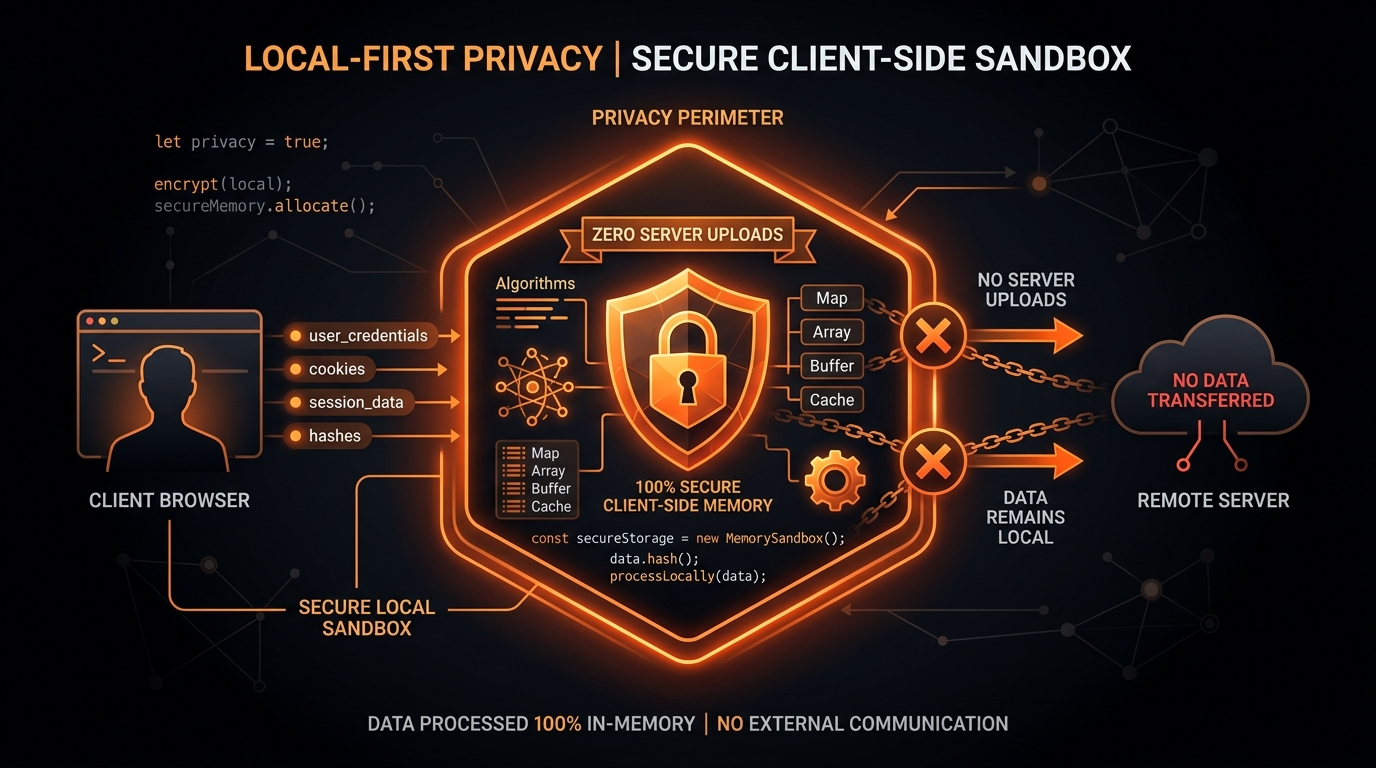
Be honest: how many times have you searched for a "free online JSON to CSV converter," pasted a file containing real user names, emails, or production tokens into a web form, and hit download?
We’ve all done it under deadline pressure. It takes two seconds. But stop and think about what actually happened the moment you clicked that button.
You just handed production company data to a random server you don't control, running code you can't inspect, operated by a stranger who has zero legal obligation to protect it.
If that payload had customer PII, internal IP addresses, or medical records, you might have just triggered an accidental GDPR Article 28 breach or a HIPAA violation—all for a quick spreadsheet export.
The Anatomy of an Online Converter Data Leak
When you feed sensitive information into a conventional server-based converter, your payload traverses an extensive attack surface:
| Threat Vector | Cloud Server Converter | Local-First Browser Engine |
|---|---|---|
| In-Flight Transit | HTTP POST payload sent across the public WAN. Subject to proxy interception and CDN logging. | Zero Network Egress: 0 bytes leave your machine. Stays entirely in local RAM. |
| Server Access Logs | Nginx/Apache proxies and application runtimes routinely log POST bodies to disk. | No Server Logs: No backend server is ever contacted. |
| Third-Party Analytics | Session replay scripts (Hotjar, FullStory) often capture form inputs unless explicitly masked. | Zero Telemetry: No tracking pixels, session recorders, or third-party tags. |
| Data Retention & Backups | Stored in temporary directories or cloud databases that can be leaked or indexed. | Ephemeral Memory: Closing the tab immediately destroys all memory allocations. |
The Accidental Compliance Disaster: A True Case Study
The security risks of online utilities are far from theoretical. Consider an actual incident disclosed by a telehealth provider:
A contractor was tasked with reconciling patient appointment timestamps across two systems. The contractor extracted an export containing 15,000 JSON records with patient names, medical record numbers (MRNs), doctor notes, and billing codes.
Looking for a quick way to convert the data into a spreadsheet, the contractor pasted the payload into an unvetted web utility. That utility's backend logged every inbound request to an unencrypted log file residing in a misconfigured, publicly accessible cloud storage bucket.
Several weeks later, an independent security researcher discovered the open bucket and notified regulatory authorities. Because the converter service was not an authorized Business Associate under HIPAA, the healthcare company incurred a $2.4 million settlement for failing to implement adequate technical safeguards for Protected Health Information (PHI).
Had that operation been conducted using a local-first, in-browser tool, not a single byte would have left the local machine, eliminating the breach entirely.
Active RAM Sanitization: Cryptographic Buffer Zeroing
In high-security enterprise environments—such as financial institutions, healthcare providers, and defense contractors—retaining decrypted production data in browser memory longer than necessary is considered an operational risk. A security-conscious local application implements active RAM zeroing:
RAM Sanitization Utility (JavaScript)function purgeSensitiveData(memoryBuffer) {
if (memoryBuffer instanceof Uint8Array) {
// 1. Overwrite buffer with random cryptographic noise
crypto.getRandomValues(memoryBuffer);
// 2. Zero-fill the entire allocation
memoryBuffer.fill(0);
console.log('✓ Memory buffer cryptographically sanitized.');
}
}How In-Memory Browser Sandboxing Actually Works
Modern web browsers are far more than document renderers; they are among the most sophisticated security sandboxes in software engineering.
File API reads the file directly from your local SSD into private memory allocated to that specific tab's renderer process. The JavaScript engine transforms the records in RAM and triggers a local file download directly back to your machine.
- Process Isolation: Modern engines (Chromium, Gecko, WebKit) isolate each tab in an unprivileged operating system process. The renderer process has no direct access to other tabs, your local filesystem, or system resources without explicit user permissions.
- Ephemeral Lifetime: The moment you close or reload the browser tab, the operating system kernel reclaims all memory pages. No persistent artifacts or temporary files linger on disk.
- Air-Gapped & Offline Functionality: Because a truly client-side tool has no server dependencies, you can load the page, disconnect your Wi-Fi, enable Airplane Mode, and convert multi-gigabyte datasets with complete functionality.
How to Audit Any Web Utility with Chrome DevTools
You should never accept privacy claims on faith. You can verify whether a web application is truly client-side in under thirty seconds using browser Developer Tools:
Step-by-Step Privacy Audit:

1. Open browser DevTools (F12 or Ctrl+Shift+I / Cmd+Option+I).
2. Switch to the 'Network' tab.
3. Check the 'Preserve log' option.
4. Filter by 'Fetch/XHR'.
5. Paste or upload your test JSON dataset.
6. Click 'Convert' and download the CSV.
7. Inspect the Network tab:
   -> A genuine client-side tool will show EXACTLY 0 outgoing network requests.
Enforcing Air-Gapped Security with Content Security Policy (CSP)
If you are designing internal developer tooling for an enterprise security team, you can cryptographically restrict network egress using a strict Content Security Policy (CSP) header:
Air-Gapped Content Security PolicyContent-Security-Policy: default-src 'self'; connect-src 'none'; img-src 'self' data:; script-src 'self'; style-src 'self' 'unsafe-inline';
The directive connect-src 'none' instructs the browser engine to block all outbound network requests (including fetch(), XMLHttpRequest, and WebSocket connections). Even if unauthorized third-party script code were injected onto the page, the browser sandbox would refuse to open any outbound socket.
The Performance Advantage: Zero Network Latency
Beyond security, client-side processing is significantly faster for everyday engineering workflows because you eliminate the network round-trip entirely:
| Pipeline Step | Cloud Server Tool (100 MB File) | Local-First Studio (100 MB File) |
|---|---|---|
| Upload to Cloud (50 Mbps link) | 16.0s (Waiting on network upload) | 0.0s (Direct local SSD read) |
| Transformation & Formatting | 3.5s (Queued remote container) | 0.8s (Local V8 CPU streaming) |
| Download to Laptop (100 Mbps link) | 4.2s (Waiting on network download) | 0.0s (Instant local Blob save) |
| Total Execution Time | 23.7 seconds | 0.8 seconds (30x Faster) |
How to Fast-Track Local-First Tools Through Corporate InfoSec
In many enterprise organizations, onboarding a new SaaS utility requires months of security questionnaires, vendor risk reviews, and SOC 2 audits.
Because local-first tools feature zero backend infrastructure, zero data retention, and zero external telemetry, you can quickly validate compliance with your AppSec team by demonstrating two items:
- The Zero-Egress Network Audit: Show in DevTools that no HTTP requests are fired during data ingestion or conversion.
- Offline Verification: Load the application, disconnect from the corporate network and VPN, and demonstrate that conversion runs with full capability while completely offline.
Summary: Core Rules for Handling Sensitive Data
- Never paste production API tokens, customer PII, or internal logs into unverified third-party cloud utilities.
- Audit developer tools using the browser Network tab before uploading confidential datasets.
- Choose local-first tools that process data strictly within browser memory and operate fully offline.
Convert your confidential datasets with complete peace of mind using our JSON to CSV Converter Studio—100% private, 100% in-memory, and zero bytes leave your machine.